Authorized Dealer
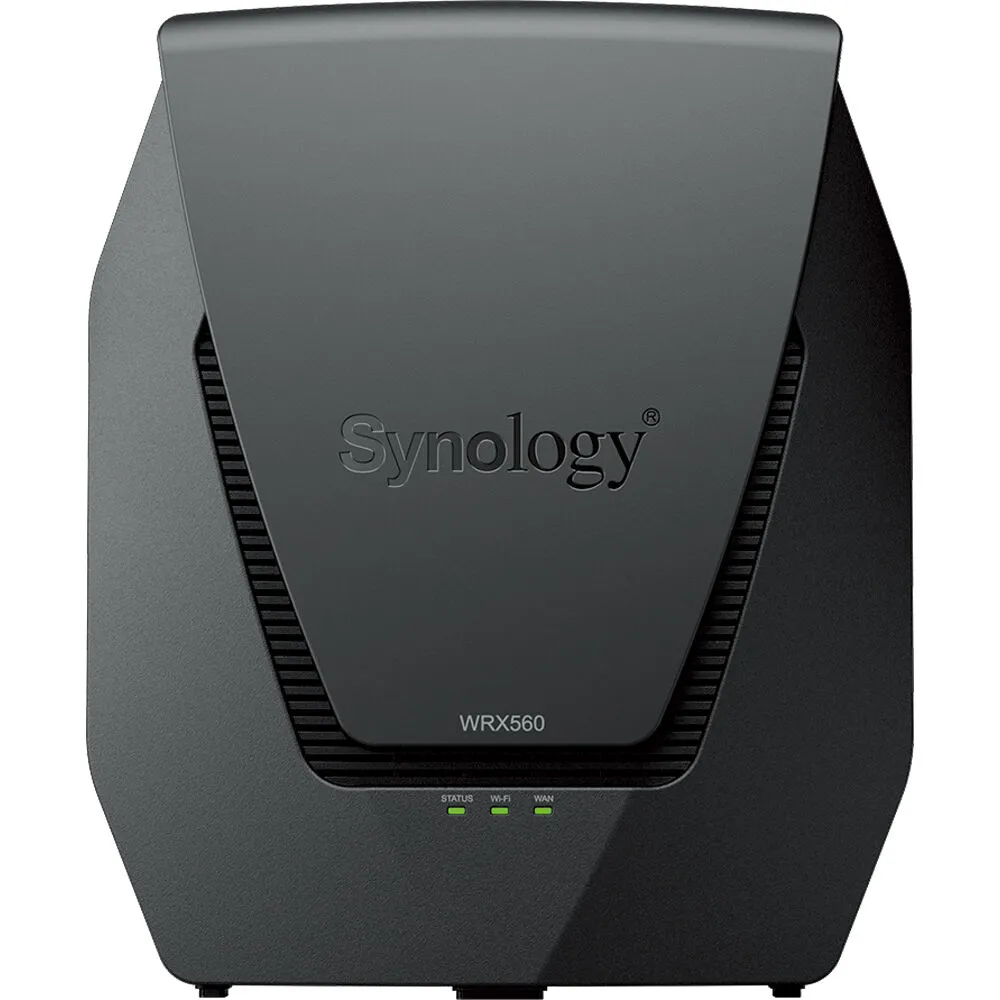
Experience smooth 4K video streaming, near lag-free online games, and fast web-browsing by enhancing your home, office, or small business with the Synology WRX560 AX3000 Wireless Dual-Band 2.5G and Gigabit Router.…
Product highlights and buying context
Experience smooth 4K video streaming, near lag-free online games, and fast web-browsing by enhancing your home, office, or small business with the Synology WRX560 AX3000 Wireless Dual-Band 2.5G and Gigabit Router. Designed for high flexibility, this Wi-Fi 6 (802.11ax) router saves space with its powerful internal antennas while providing up to 3000 Mb/s throughput over the 2.4 GHz and 5 GHz bands for about 150 connected devices.
Wireless coverage may be expanded by configuring additional WRX560 or other compatible routers as satellites to create a mesh network that operates under a single network ID (SSID) to deliver seamless connections as you move from room to room. Additionally, the 2.5G LAN/WAN Ethernet port allows you to take advantage of multi-Gig internet services or high-speed network storage devices. Quickly configure, manage, and monitor your network with the Synology Router Manager app, which allows you to set up parental controls, monitor traffic, and more from your iOS or Android device.
The Synology WRX560 router helps to cut through congested areas by supporting the upper channels of the 5 GHz band, which may also be used as a dedicated wireless backhaul to communicate with satellites.
Eliminate dead zones by using additional WRX560s or other compatible Synology routers as satellites to create a mesh network. A mesh network uses a single network ID and hands your mobile device's connection to the router with the strongest signal as your roam. Smart Connect technology automatically assigns the best Wi-Fi band to your device for optimal signal and speed.
The 2.5G Ethernet port may be used with multi-Gig internet services or connected to high-speed devices such as network storage systems. Three 1G LAN ports are also available for computers, smart TVs, video game consoles, and other wired network devices.
Share files, photos, and videos with all devices across your network by connecting a storage drive to the USB-A 3.2 Gen 1 port. The port also supports 3G / 4G mobile network dongles in addition to iOS and Android device tethering, which may serve as a backup internet connection if the main one goes down.
Your wireless connections are secured by WPA/WPA/WPA3 personal and enterprise level encryption. Additionally, the router has a built-in SPI firewall with denial of service (DoS) attack protection. You may also set up a guest network and up to 10 SSIDs with separate network access permissions for different users. Enable the VPN features to securely access your home network from public Wi-Fi hotspots.
Customize a captive guest portal for your business. Configure guest connection time limits and set up a password rotation for added security.
The Synology Router Manager (SRM) app helps you set up, manage, and monitor your network from almost anywhere using your iOS or Android device. Features include comprehensive parental controls, network usage insights, and more.
Assign devices to family members' profiles for easy internet access management and monitoring of devices connected to your local network.
Monitor your kids' activities online, such as the daily amount of time spent on the Web or whether they have attempted to visit inappropriate websites.
Set internet use quotas or restrict internet access to certain hours for each device your child owns. Define how much time can be spent on laptops, smartphones, and game consoles.
Prevent children from accessing inappropriate websites, social media platforms, and games in addition to explicit search results. Customize and apply filters such as restricting social media during homework hours.
VPN Plus lets you provide secure access to your local network from the internet. Set up a VPN server on your Synology router and provide stable, fast connections to remote employees at any time of day.
Allocate dedicated bandwidth to streaming or gaming devices.
Isolate networks for different environments such as home and work, or set access rules to limit connectivity to and from vulnerable devices.
Additional Details
Loading…